
The Big Guy’s Guide to Standing Desks That Won’t Collapse Under You
If you read my office chairs post, you know I’ve had my share of furniture casualties. Chairs that creak, sink, and eventually surrender. Well, standing desks have their own version of this problem, and it’s arguably worse because when a standing desk fails, your monitors go with it.
I have a standing desk and honestly don’t use it as much as I should anymore. But I’ve learned enough from the experience to know what matters for bigger guys. The weight capacity numbers on the box? They’re technically true in the same way that a roller coaster has a “maximum capacity” but the ride gets a lot shakier the closer you get to it.
So I dug into four standing desks across different price ranges to figure out which ones actually hold up for bigger guys. Not just on paper, but based on real user reports, expert teardowns, and the engineering specs that actually matter.
The 80% Rule Nobody Talks About
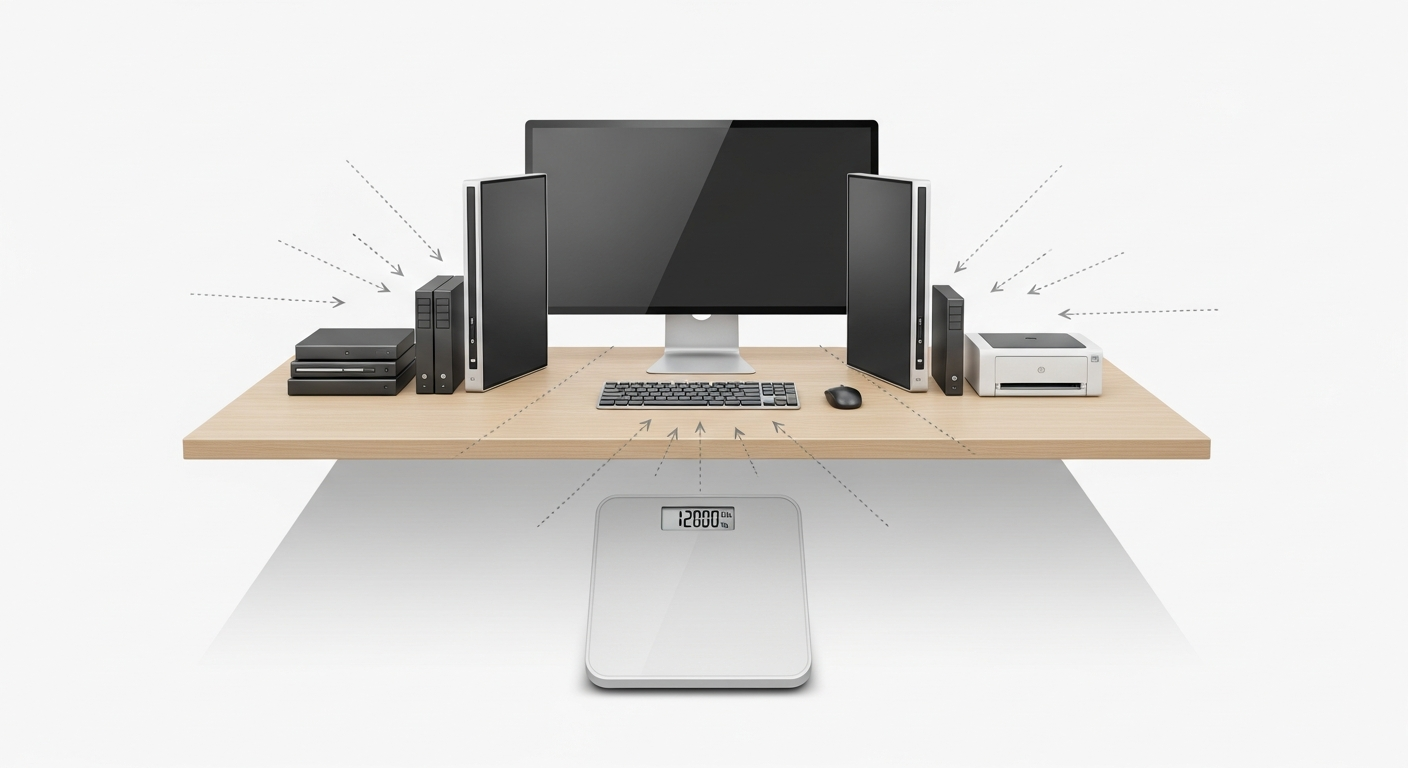
Here’s the single most important thing to know, and it’s something almost no review mentions.
A standing desk’s weight capacity is not your usable capacity.
When a desk says it holds 350 lbs, that’s the static load rating. It means the desk can support 350 pounds sitting perfectly still on the surface. But that’s not how anyone uses a desk. You lean on it. You bump it. Your monitor arm acts as a lever that multiplies force. You rest your forearms on the edge while typing.
Industry guidelines recommend keeping your total load at 70-80% of the rated capacity for longevity and stable operation. Some engineers go even more conservative at 60-70%.
So that 350 lb desk? Your real-world budget is more like 245-280 lbs. Now subtract the desktop itself (20-40 lbs for solid wood), your monitors, your PC, your peripherals. For a bigger guy running a dual-monitor setup, you can chew through that capacity faster than you’d think.
This is why I specifically looked for desks with high weight ratings. Not because I need 600 lbs of lifting power, but because I want that comfortable margin where nothing is straining.
Quick math for your setup:
- Desktop weight: 20-40 lbs (depends on material and size)
- Dual monitors: 15-30 lbs
- Monitor arm(s): 5-10 lbs (and they create leverage, so count them at 1.2-1.5x their weight)
- PC tower on desk: 20-35 lbs
- Peripherals, speakers, misc: 5-15 lbs
- Your arms resting/leaning: 15-25% additional dynamic stress
Add it all up before you buy. Then make sure your total is well under 80% of the desk’s rating.
What Big Guys Should Actually Look For
Beyond weight capacity, there are a few things that matter way more for us than for the average reviewer.
Motor type and count. Dual motors share the load, which means less strain on each motor and generally longer life. Single motors can work fine for lighter setups, but if you’re pushing capacity, dual motors are worth the upgrade. Four-motor setups exist for the truly heavy-duty crowd, and they’re impressively smooth.
Cross-support beams. This is the biggest factor in wobble prevention. A standing desk without a crossbar connecting the legs is going to wobble at standing height, period. The taller the desk goes, the worse it gets. For bigger guys who might lean or bump the desk, a crossbar is non-negotiable.
Frame material and leg design. Thicker steel legs with a C-frame or T-frame design are more stable than thin rectangular tubes. Look at the cross-sectional area of the legs, not just the overall dimensions.
Height range. Bigger guys tend to be taller too. Make sure the desk goes high enough for comfortable standing. Anything under 48 inches at max height could be tight if you’re over 6’1″.
Desktop thickness. Thicker desktops (1.25 inches or more) resist sagging under heavy loads. A thin desktop on a great frame is still going to bow in the middle over time.
4 Desks Worth Looking At
Here are four standing desks across a range of prices that meet the criteria for bigger guys: at least 350 lbs capacity (so you’d have real headroom under the 80% rule), dual motors minimum, and a crossbar or equivalent stability feature.
Best Value: FlexiSpot E7 Pro (~$500-$600)
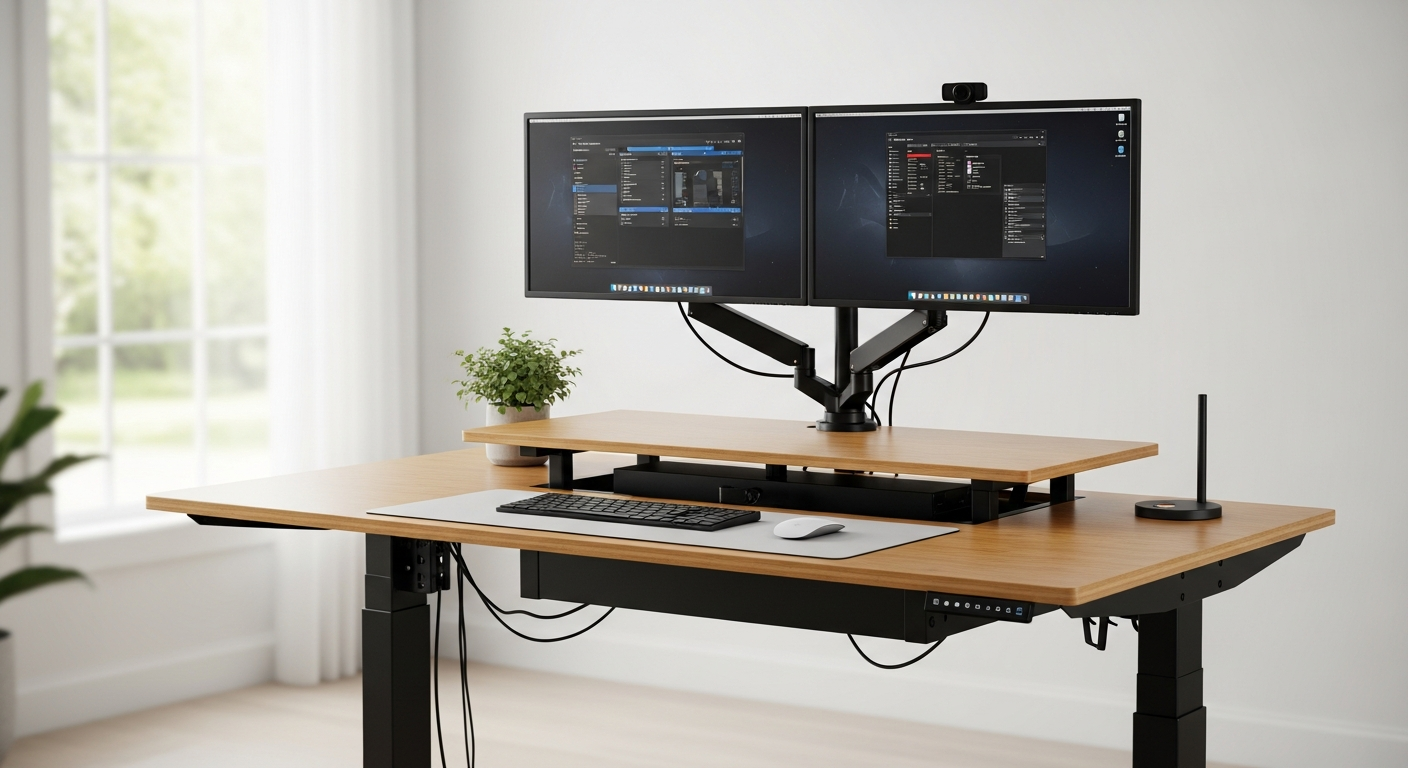
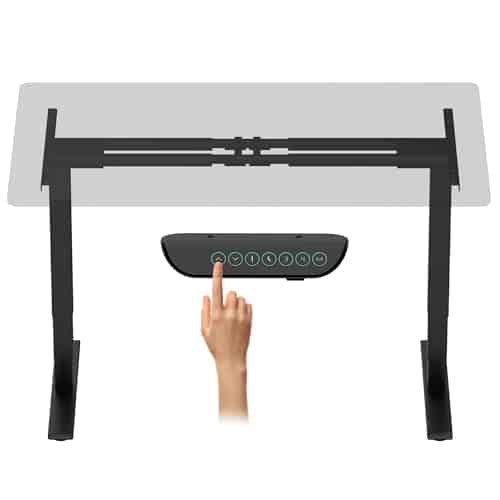
Weight capacity: 440 lbs | Motors: Dual | Height range: 25″ to 50.6″ | Warranty: 15 years
The FlexiSpot E7 Pro is the desk I’d recommend to most big guys, and it’s the one I think offers the best value per pound of capacity.
440 lbs of lifting power is no joke. Under the 80% rule, that gives you a real-world budget of about 350 lbs, which is genuinely roomy even for a heavy setup. The C-frame design gives you more legroom than T-frame desks (important if you’ve got bigger thighs), and the dual motors are quiet and smooth.
The magnetic cable management sheath between the central struts is a small thing that makes a big quality-of-life difference. Cables stay hidden without zip ties or cable trays. There’s also a USB charging port built into the controller, which is convenient.
At standing height with a loaded desktop (dual monitors, a PC tower, and various peripherals), reviewers report minimal wobble. Not zero, because no two-leg desk is perfectly rigid at 48+ inches. But it was well within the range where you’d never notice it during normal use.
The 15-year warranty on the frame and motor is reassuring. FlexiSpot has been around long enough that you can trust they’ll honor it.
The catch: The included desktop options are particle board. They’re fine, but if you want solid wood or bamboo, you’re either buying a top separately or stepping up to the pricier configurations. The particle board tops also flex slightly under heavy center loads on the wider sizes.
Bottom line: Best bang for your buck. 440 lbs capacity at this price point is hard to beat, and the build quality backs it up.
The Popular Mid-Range: Uplift V2 Commercial (~$600-$850+)
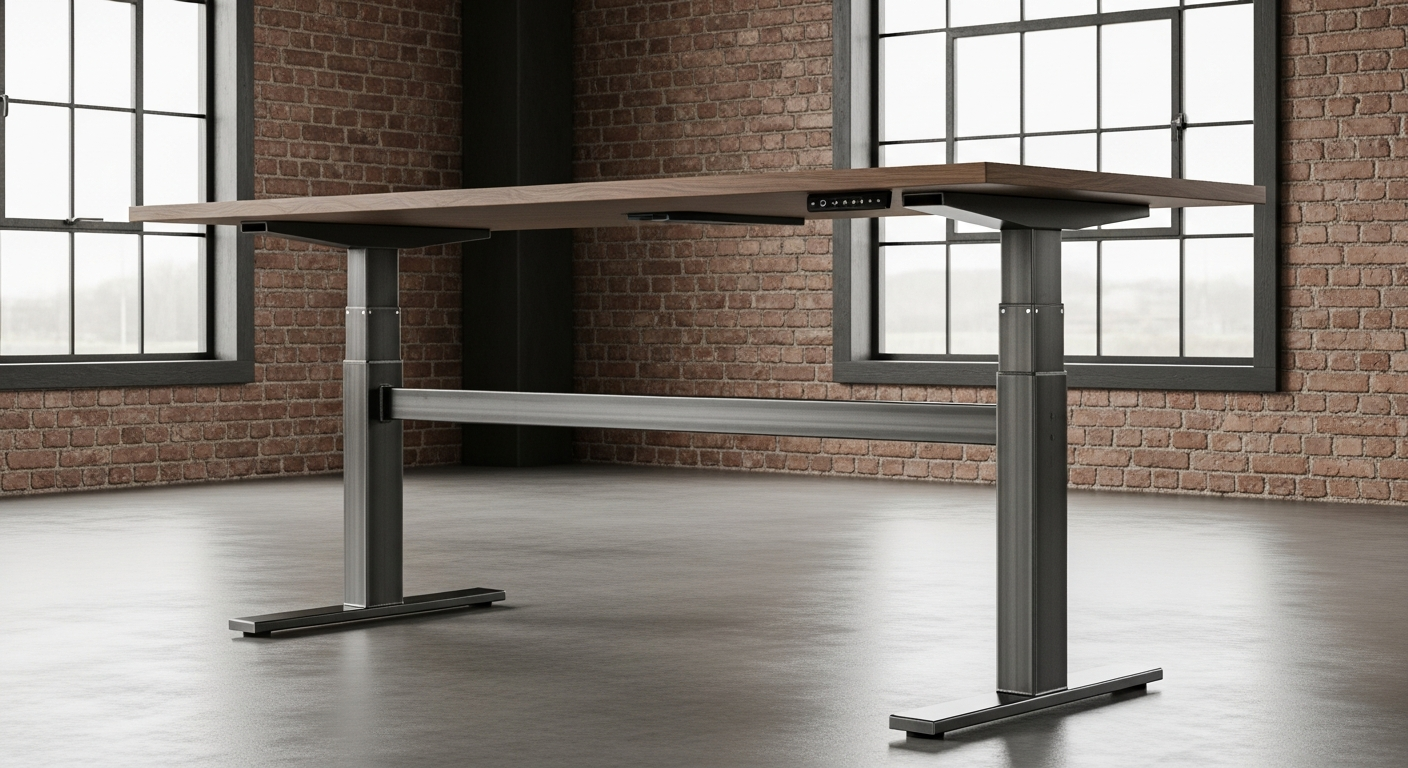
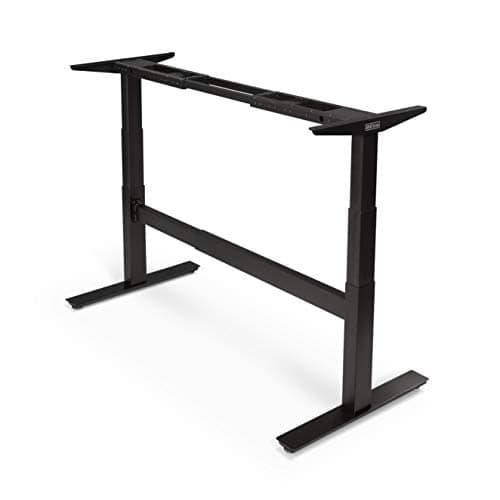
Weight capacity: 355 lbs | Motors: Dual (JieCang worm drive) | Height range: 22.5″ to 50.9″ | Warranty: 15 years
Uplift is one of the most recommended standing desk brands online, and the V2 Commercial is their heavy-duty option. The legs are 35% larger in cross-sectional area compared to the standard V2, and there’s a crossbeam connecting them. That crossbeam is the reason this desk made the list. It adds serious lateral stability.
The desk weighs 93 lbs as a frame alone (compared to 68 lbs for the standard V2), and you can feel that heft in the stability. At standing height, the V2 Commercial is reported to be noticeably more rigid than desks without a crossbar.
The customization options are extensive. You can configure desktop material, size (up to 80×30 inches), color, and add accessories like keyboard trays, monitor arms, and cable management. If you want a desk that looks exactly how you want it, Uplift gives you that.
The JieCang worm drive motors are smooth and reliable. The improved linear gear system handles the weight well, and the transitions between sitting and standing are quiet.
The catch: At 355 lbs capacity, the 80% rule gives you about 284 lbs of real-world budget. That’s still workable for most setups, but it’s tighter than the FlexiSpot. If you’re running a triple-monitor arm with a heavy PC, do the math carefully. The base price is also just for the frame and a basic laminate top. Solid wood desktops, larger sizes, and accessories add up fast. A fully loaded V2 Commercial can easily cross $1,000.
Bottom line: A premium desk with excellent stability and tons of customization. The crossbeam makes it one of the most wobble-resistant options at this price. Just watch your total weight budget.
The Popular Pick (With a Warning): Fully Jarvis Bamboo (~$600-$1,029)
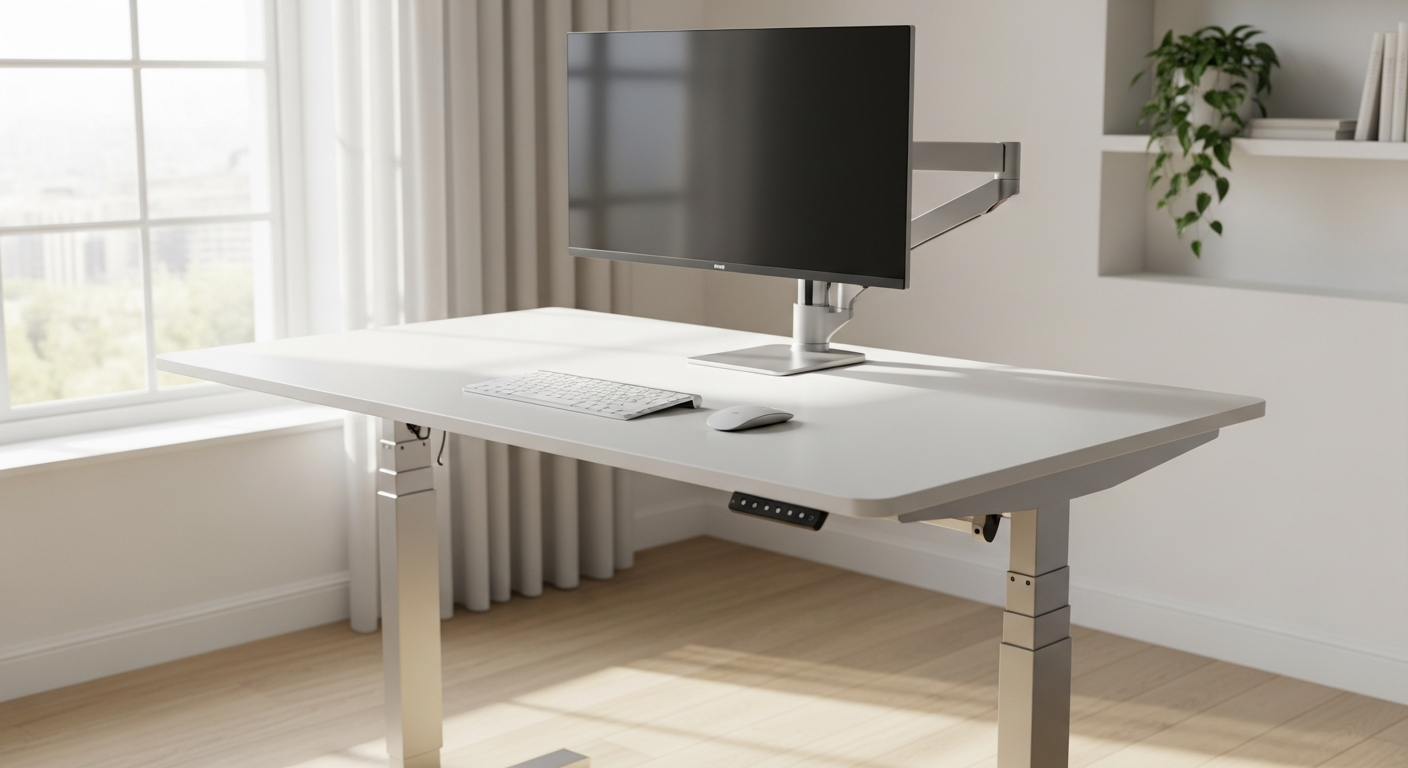
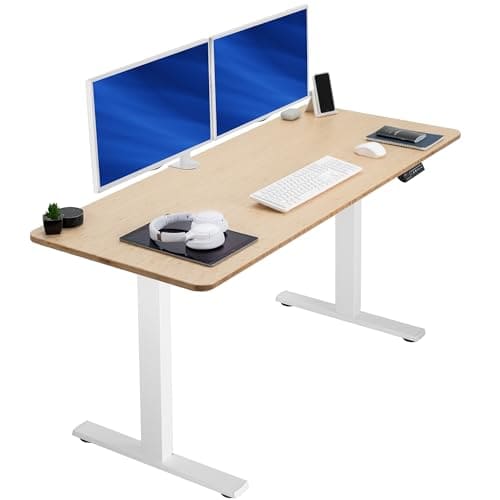
Weight capacity: 350 lbs (advertised) | Motors: Dual | Height range: 24.5″ to 50″ | Warranty: 15 years
The Fully Jarvis is one of the most popular standing desks on the internet, and it’s genuinely a well-made product. The bamboo desktop is beautiful, the build quality is solid, and the motor transitions are smooth. I understand why it gets recommended so much.
But I have to be honest about something that most reviews skip.
The Jarvis uses a JieCang frame, same as the Uplift. But here’s where it gets interesting: JieCang, the actual manufacturer of the frame, rates it for 1,250 Newtons, which works out to about 281 lbs. Fully advertises the desk at 350 lbs. That’s a significant gap between what the frame manufacturer says and what the desk company puts on the listing.
Does the desk physically hold 350 lbs? Probably, yes. Will it do so with the longevity and smooth operation you’d expect at that capacity? That’s a different question. Under the 80% rule, the manufacturer’s own rating gives you about 225 lbs of real-world capacity. That’s tight.
The bamboo desktop is thinner than some competitors, and on the wider sizes, there’s noticeable flex in the center when you press down. No crossbar between the legs means wobble at standing height is more pronounced than the V2 Commercial.
I want to be clear: for an average-weight person with a standard monitor setup, the Jarvis is a great desk. But for bigger guys who lean on their desks and run heavier equipment, the gap between advertised capacity and manufacturer-rated capacity makes me uncomfortable recommending it without this context.
The catch: The weight capacity discrepancy is the big one. Also, no crossbar means more wobble at standing height. If you’re going to lean on this desk while standing (and you will), factor that into your decision.
Bottom line: A well-made desk that deserves its popularity for most users. For bigger guys, the weight capacity situation means you need to be very conservative with your setup. I wouldn’t put this at the top of the list for heavy users, but I wanted to include it because so many people ask about it.
The Tank: DeskHaus Apex Pro (~$900+)
Weight capacity: 600 lbs | Motors: Four | Height range: 22.5″ to 48.5″ | Warranty: 20 years
If weight capacity anxiety keeps you up at night, the DeskHaus Apex Pro is your sleeping pill.
600 lbs. Four motors. A 20-year warranty. This desk is overbuilt in the best possible way.
The Apex Pro uses four motors instead of the standard two, which means each motor is handling a fraction of the total load. The result is incredibly smooth, stutter-free height adjustments even under heavy loads. The anti-collision gyroscope system adds a layer of safety. If the desk hits something while adjusting, it stops and reverses.
Stability is the standout feature. At standing height, this desk barely moves. Where other desks have some degree of acceptable wobble, the Apex Pro feels planted. The four-motor design with wider legs creates a more distributed load path, and it shows.
DeskHaus is a smaller company compared to FlexiSpot or Uplift, and they lean hard into the enthusiast market. They’re the kind of company where the owner posts detailed YouTube videos explaining why competitor weight ratings are misleading. That transparency is refreshing.
Frame widths come in 60, 72, and 84 inches. You’ll need to source your own desktop or buy one from DeskHaus directly, which actually lets you pick exactly the material and thickness you want.
The catch: The price. Starting around $900 for the frame alone, plus you need a desktop, this is easily a $1,100+ desk when fully set up. The max height of 48.5 inches is slightly lower than some competitors, so if you’re very tall (6’4″+), measure carefully. And because DeskHaus is a smaller operation, shipping times can be longer than the big brands.
Bottom line: The most capable desk on this list by a wide margin. If you want zero doubt about weight capacity and maximum stability, this is it. The price premium is real, but you’re getting a desk that can genuinely handle anything you throw at it (or lean on it).
Quick Comparison
| Desk | Price | Weight Capacity | 80% Real-World Budget | Motors | Crossbar | Warranty |
|---|---|---|---|---|---|---|
| FlexiSpot E7 Pro | $500-$600 | 440 lbs | ~350 lbs | Dual | No (C-frame) | 15 years |
| Uplift V2 Commercial | $600-$850+ | 355 lbs | ~284 lbs | Dual | Yes | 15 years |
| Fully Jarvis | $600-$1,029 | 350 lbs (281 mfg rated) | ~225 lbs (mfg) | Dual | No | 15 years |
| DeskHaus Apex Pro | $900+ (frame) | 600 lbs | ~480 lbs | Four | Frame design | 20 years |
Buying Advice for Fellow Big Guys
After researching all four, here’s what I’d tell a friend who’s shopping.
Do the weight math before you shop. Add up your desktop, monitors, PC, peripherals, and misc items. Then make sure your total stays under 80% of whatever desk you’re considering. This single step will save you from buying a desk that technically works but struggles long-term.
Wobble is a standing-height problem. Every desk feels stable at sitting height. The real test is at 45+ inches with your full setup loaded. If you can try before you buy, test it standing. If you can’t, prioritize desks with crossbars or wider leg bases.
Put your desk on a hard surface. Carpet, especially thick carpet, acts like a spring under a heavy desk. A rigid chair mat or plywood board under the feet makes a noticeable difference in stability.
Tighten everything after the first month. Vibrations from daily motor use will loosen bolts over time. A quick check with an Allen wrench after the first few weeks prevents wobble issues that aren’t actually the desk’s fault.
If you want my single recommendation for most big guys? The FlexiSpot E7 Pro. The 440 lb capacity gives you real headroom, the price is reasonable, and the 15-year warranty means FlexiSpot stands behind it. If money is less of a concern and you want the absolute tank, the DeskHaus Apex Pro is in a class of its own.
And if you paired this with a solid office chair from my previous review, your home office is set. Your back will thank you.
Share the Knowledge
If this helped you, share it with another big guy who’s shopping for a standing desk. Most of us have learned these lessons the expensive way, and the more we share what actually works, the less money gets wasted on stuff that doesn’t hold up.
Got a standing desk that’s been solid for you? Or one that failed? Drop it in the comments. I’m always looking for the next thing to test, and real-world reports from guys our size are worth more than any spec sheet.
Sources
- FlexiSpot E7 Pro Specs and Features – Official weight capacity, height range, and warranty details
- FlexiSpot E7 Pro Review – TechRadar hands-on testing and stability assessment
- Uplift V2 Commercial Review – BTOD detailed testing and JieCang motor analysis
- Uplift V2-Commercial Standing Desk Review – CNN Underscored build quality assessment
- Fully Jarvis Standing Desk Review – BTOD review including manufacturer vs. advertised weight rating discrepancy
- DeskHaus Apex Pro – Official specs, 600 lb capacity, 20-year warranty
- Standing Desk Weight Capacity Guide – 80% utilization heuristic and load guidelines
- Over-Spec Your Desk Load Capacity – Dynamic vs. static load, leaning stress calculations
- Single Motor vs. Dual Motor Standing Desks – Motor comparison and durability analysis
- Why Standing Desks Wobble – Cross-support and stability factors